
How to Use an Octal to Binary Calculator Easily
🔢 Learn how to use an octal to binary calculator, understand number systems, manual conversion steps, reliable tool tips, and avoid common mistakes.
Edited By
Laura Bennett
A binary conversion calculator is a handy tool to convert numbers between the binary system and the decimal system quickly. Binary numbers consist of only two digits, 0 and 1, which form the foundation of all digital computing processes. Understanding binary is crucial for finance professionals, traders, analysts, and students dealing with computer systems or digital data analysis.
Unlike the decimal system we use daily, which has ten digits (0–9), the binary system operates on base 2. This means each binary digit (bit) represents a power of two. Converting a binary number to a decimal number involves adding these powers where the digit is 1. For instance, the binary number 1011 equals 1×2³ + 0×2² + 1×2¹ + 1×2⁰ = 8 + 0 + 2 + 1 = 11 in decimal.
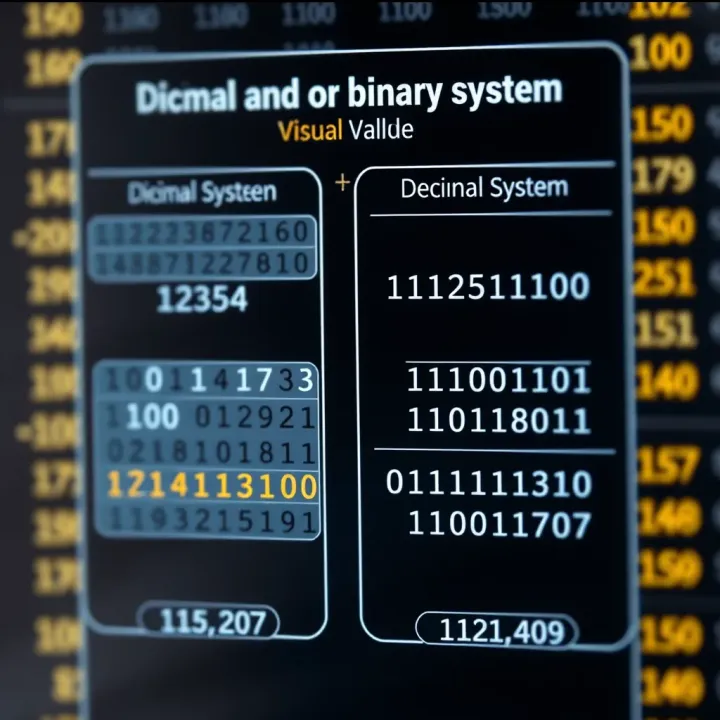
Performing these conversions by hand can be time-consuming, especially when handling large numbers common in computing or data analysis. A binary conversion calculator automates this process, reducing human error and speeding up work. This tool accepts input in binary or decimal form and quickly outputs the equivalent value in the other format.
Using a calculator for binary conversions not only saves time but also adds precision, which is critical when dealing with complex financial datasets or programming logic.
These calculators are widely accessible online or as smartphone apps. They support tasks like verifying binary-coded data, translating machine-level instructions, or teaching students how different number systems work. Additionally, they are useful for professionals analysing digital circuits or developing software requiring binary manipulation.
Some benefits of using a binary conversion calculator include:
Quick and accurate number system conversions
Support for both signed and unsigned numbers
Ease in understanding bitwise operations in computing
Educational aid for students learning binary concepts
In the next sections, we'll explore manual methods to convert numbers between binary and decimal and then see how the calculator simplifies these steps. This knowledge helps you apply binary conversions confidently in your everyday work and learning environment.
Binary numbers represent data using just two digits: 0 and 1. Each digit in this system is known as a "bit", and combinations of bits can express any number or character. This simplicity makes binary highly efficient for machines to process. For instance, the binary number 1011 corresponds to the decimal value 11. The core property of binary is its base-2 nature, meaning each position in the number represents a power of 2, unlike the decimal system which is base 10.
Unlike decimal numbers that use ten digits (0-9), binary uses only two symbols, which suits electronic circuits that rely on two voltage levels: ON and OFF. This binary encoding is straightforward and less prone to errors in hardware. For example, while the decimal number 13 looks unfamiliar in binary as 1101, the latter allows computers to store and manipulate data more easily.
The main difference lies in their base values: decimal is base 10, while binary is base 2. Decimal numbers count from 0 to 9 before moving to the next digit position. Binary counts 0 and 1, then rolls over to the next position after 1. This difference changes how numbers are represented and calculated. For example, decimal 25 equals 11001 in binary.
This distinction matters a lot in computing. Humans express numbers in decimal because of everyday familiarity and its efficiency for manual calculations. But for computers, binary is the natural language, since electrical circuits can only be ON or OFF. This binary system links the physical hardware with software logic, making it foundational for all digital computing tasks.
Computers use the binary system because digital circuits operate with two voltage levels, which naturally map to the binary values 0 and 1. This allows computers to perform fast and reliable operations without ambiguity. If computers tried to use decimal or any larger base internally, the circuits would be more complex and less stable.
On top of basic computing, binary numbers support complex tasks such as programming, data storage, and networking. Programmers write code that eventually translates into binary instructions understood by a processor. Digital electronics like microcontrollers and memory chips depend on binary to encode, store, and retrieve information. For example, an 8-bit microprocessor uses groups of eight binary digits to represent data, allowing it to handle 256 different values.
Binary forms the backbone of digital technology, and understanding it helps in debugging, programming, and grasping how computers work.
To sum up, mastering the binary number system is not just an academic exercise but a practical skill. Whether you are developing financial models or analysing stock data, binary conversions aid in understanding machine-level operations, enhancing your technical fluency in today's digital world.
Understanding how to convert numbers between binary and decimal is crucial in today's digital world, especially for finance professionals, traders, and students dealing with computing or coding. This skill helps decode how computers process data and supports accurate interpretation of machine-level information in software applications. Knowing both manual and tool-assisted methods offers greater control and reduces reliance on calculators, improving your ability to debug or verify quick calculations.
Division method explained step-by-step: The most straightforward manual method to convert a decimal number to binary involves repeated division by 2. Start by dividing the decimal number by 2, noting the remainder. Then divide the quotient again by 2, continuing this process until the quotient reaches zero. The binary equivalent is formed by listing these remainders in reverse order. For example, converting the decimal 13 follows these steps: 13 ÷ 2 = 6 remainder 1, 6 ÷ 2 = 3 remainder 0, 3 ÷ 2 = 1 remainder 1, 1 ÷ 2 = 0 remainder 1. Listing remainders backward gives 1101 in binary.
This method is practical because it highlights how binary digits represent powers of two, offering insight into the base-2 number system. It's also helpful when working with small or medium numbers without access to tools.

Examples with small and large numbers: Let’s take a small number like 5. Using the division method: 5 ÷ 2 = 2 remainder 1, 2 ÷ 2 = 1 remainder 0, 1 ÷ 2 = 0 remainder 1. So, 5 in binary is 101. For a larger number like 150, we repeat the process: 150 ÷ 2 = 75 remainder 0, 75 ÷ 2 = 37 remainder 1, 37 ÷ 2 = 18 remainder 1, 18 ÷ 2 = 9 remainder 0, 9 ÷ 2 = 4 remainder 1, 4 ÷ 2 = 2 remainder 0, 2 ÷ 2 = 1 remainder 0, 1 ÷ 2 = 0 remainder 1. Writing the remainders backward gives 10010110.
This example shows manual conversion remains effective even for larger numbers, though it becomes time-consuming as figures grow.
Using positional values for conversion: To convert binary numbers back to decimal, multiply each bit by 2 raised to the power of its position index, counting from zero at the rightmost digit. Add all these values to get the decimal number. This method is grounded in the place value principle, clarifying how binary digits represent sums of powers of two.
For instance, in binary 1011, the rightmost digit corresponds to 2^0 (1), next is 2^1 (2), then 2^2 (4), and 2^3 (8). Multiplying each binary digit and adding: (1×8) + (0×4) + (1×2) + (1×1) = 8 + 0 + 2 + 1 = 11 in decimal.
Worked examples for clarity: Consider binary 11010. Assign powers of two from right to left: 0×2^0, 1×2^1, 0×2^2, 1×2^3, 1×2^4. Calculating this gives 0 + 2 + 0 + 8 + 16 = 26 in decimal. Another example, binary 1001: (1×2^3) + (0×2^2) + (0×2^1) + (1×2^0) = 8 + 0 + 0 +1 = 9.
These examples demonstrate how seemingly complex binary numbers translate into familiar decimal figures, reinforcing foundational knowledge essential for interpreting digital data accurately.
Mastering these conversion techniques equips you to handle binary and decimal numbers confidently—an essential skill when dealing with algorithms, encryption, and low-level data handling in finance and technology sectors.
Using a binary conversion calculator simplifies and speeds up the process of converting between binary and decimal numbers. For investors, traders, analysts, and students dealing with computing or finance-related tasks, relying on manual conversion methods can lead to errors and waste valuable time. A calculator streamlines this by handling conversions instantly, offering reliable results even when numbers get large or complex.
A good binary conversion calculator must have a clear and intuitive interface. The design should present input fields prominently and use simple buttons or dropdowns to select the number system (binary, decimal, hexadecimal, etc.). This helps users quickly enter data without confusion. For example, a busy finance professional converting a binary code from a software log wouldn’t want to spend time figuring out complicated menus.
Many calculators go beyond just binary and decimal conversions. They often support octal and hexadecimal systems as well, which are crucial in programming and electronics. This feature benefits analysts who might work with data in different formats. For instance, an engineer debugging a microcontroller might need to switch between hexadecimal and binary. A versatile calculator eliminates the need to switch tools, improving workflow efficiency.
Accuracy is non-negotiable in conversions related to coding or financial calculations. A reliable tool ensures no miscalculations, especially when dealing with large numbers. Speed also matters, particularly during testing or analysis phases. Modern binary calculators use algorithms that perform conversions almost instantly. This is helpful for students practising numerous problems or traders modelling binary-based algorithms during market hours.
Begin by selecting the number system you are converting from, whether binary, decimal, or hexadecimal. Then enter the number carefully in the input field. For example, when converting the binary number 101101, ensure no extra spaces appear, as that might affect the result. Some calculators offer validation to alert if the number entered doesn’t match the chosen system, reducing errors.
Once you submit, the calculator will display the converted number in your chosen system. It often shows the result alongside the input for clarity. If the tool supports multiple conversions, it may list decimal, binary, octal, and hexadecimal for the same input. Users should cross-check if the outputs align with expectations, especially when handling critical data. For instance, a student solving problems should verify values to reinforce learning.
Many online calculators allow you to save results as a text file or image, or copy them to the clipboard for use in reports or code documentation. Sharing options, like downloadable CSVs or direct sharing links, support collaboration. This is useful for developers sending conversion outputs to teammates or instructors reviewing students’ work. Keeping a record of conversions helps maintain data integrity across projects.
Using a good binary conversion calculator not only saves time but helps avoid costly mistakes. Accuracy, ease of use, and flexible features make these tools indispensable for both learners and professionals alike.
Binary conversion tools offer clear benefits across education and professional fields by simplifying complex numerical tasks. They help translate binary numbers into a more familiar decimal format and vice versa, which is essential for understanding digital systems and programming.
Binary conversion tools make the abstract concept of binary numbers more accessible, especially for students struggling with the idea of base-2 numbers compared to the usual decimal system. For example, when learning about how computers process data, students can enter values into a calculator and instantly see their decimal equivalents, which helps solidify their understanding of positional value and placeholding.
Using these tools in classrooms also encourages interactive learning. Instead of just memorising conversion rules, students experiment with numbers, seeing firsthand how binary digits map to decimals. This approach reduces apprehension around programming and data representation, which are key skills in today's digital world.
Many Indian competitive exams like JEE, GATE, and various government IT recruitment tests include questions on number system conversions. Mastering binary-to-decimal and decimal-to-binary conversions quickly can save precious time during these tests. Students practising with binary conversion calculators can enhance their speed and accuracy.
In addition, such tools allow candidates to verify manual calculations swiftly, helping to identify mistakes and improve problem-solving techniques. They provide a reliable way to build confidence and avoid errors when under exam pressure.
Programmers often encounter binary data during low-level programming or debugging, especially in embedded systems or when working with hardware interfaces. Binary conversion tools simplify interpreting raw data by quickly translating between binary and decimal (or hexadecimal), enabling developers to pinpoint issues faster.
For instance, a programmer debugging a memory dump can use a binary conversion calculator to convert flagged values and understand the underlying state better. This helps in resolving errors efficiently, improving the overall development cycle.
In data engineering and systems development, binary formats store information compactly. When engineers work with custom file formats or network protocols, understanding the conversion between binary and decimal systems is crucial for parsing and reconstructing data.
Binary calculators assist by automating conversions, reducing human errors, and streamlining data analysis tasks. For example, when analysing packet headers on a network, converting binary flags to decimal quickly helps in configuration and troubleshooting.
Binary conversion tools bridge the gap between theoretical number systems and practical computing needs, proving invaluable for students and professionals alike.
The use of these calculators extends beyond simple conversions—they serve as educational aids, speed up exam preparation, and support technical work in software and engineering fields.
Converting binary numbers accurately is vital for professionals working with computing systems, software, and digital electronics. Despite using calculators, errors can creep in due to misinterpretations or technical mishandling. Being aware of common pitfalls and following best practices ensures precise results that matter in coding, debugging, and financial modelling.
Misreading binary digits is a common cause of conversion mistakes. Binary numbers consist only of 0s and 1s, but it's easy to confuse similar digits, especially in longer sequences. For example, misreading '1101' as '1110' changes the decimal equivalent from 13 to 14, which can impact a program or financial calculation. Such errors often happen when digits are cramped or displayed in small fonts. To avoid this, take your time reviewing the binary input. For manual work or printed material, underlining or spacing the digits in groups of four can reduce misreading.
Another issue involves handling leading zeros and padding. Binary numbers often feature leading zeros to ensure uniform length, such as in 8-bit byte representations (e.g., ‘00001101’ instead of ‘1101’). While these zeros do not affect the value, ignoring them may cause misinterpretation in some software or systems expecting fixed-length input. Conversely, extra padding zeros inserted accidentally can inflate the number’s length and cause errors, especially in low-level programming or hardware configurations. Understanding whether your task requires fixed-length inputs or allows flexible lengths helps maintain accuracy.
Checking conversions manually can serve as a reliable verification step, particularly when the stakes are high. Simple techniques like converting the binary number back to decimal using positional values, or using repeated division in reverse, can confirm your results. For instance, if a binary number ‘1010’ converts to decimal 10, manually summing powers of two (8 + 0 + 2 + 0) should return the same. This double-check guards against accidental swaps, missed digits, or calculator input errors.
Using reliable online tools is another smart approach. Always pick calculators with clear interfaces and validation checks, known for their precision, such as those trusted by educators and tech professionals. These tools often support multiple formats and offer instant, error-free conversions, speeding up your workflow without compromising accuracy. However, don’t rely blindly—periodic manual checks reinforce confidence in the output, especially when working on critical financial data, programming code, or exams.
Taking care with binary data entry and adopting best practices in conversion prevents costly mistakes and builds trust in the results, whether in trading algorithms, debugging, or educational settings.
By focusing on these common issues and following clear strategies, you can handle binary conversions confidently and avoid pitfalls that often trip up beginners and even seasoned users alike.
🔢 Learn how to use an octal to binary calculator, understand number systems, manual conversion steps, reliable tool tips, and avoid common mistakes.
🔢 Learn how to convert binary to decimal using 0001 with easy steps, examples, and tips. Perfect for students and professionals mastering number systems 📚

Discover how binary codes map to ASCII characters with easy methods and practical tips 📟 for accurate conversions useful in Indian tech and communication fields.

Learn how to convert binary numbers to decimal with clear steps 📊. Understand binary basics, spot common errors, and see digital uses explained simply.
Based on 14 reviews