

Understanding Binary Numbers and Their Use
🔢 Explore how binary numbers work in computing, learn easy conversion methods, binary arithmetic, and see how it powers everyday tech gadgets! 📱💻
Edited By
Oliver Davies
Binary numbers form the backbone of modern computing. Unlike the decimal system, which uses ten symbols (0–9), binary relies on just two digits: 0 and 1. This simplicity allows computers and other digital devices to perform complex calculations efficiently.
Understanding binary is essential for investors and analysts dealing with tech stocks or fintech products. It helps decode how hardware processes data and why digital security measures work the way they do. For students, mastering binary provides a foundation for computer science and electronics courses.

The binary system represents numbers using powers of two. For example, the decimal number 5 converts to binary by breaking it down into sums of powers of two: 4 (2²) + 1 (2⁰), which is written as 101 in binary. Learning this technique makes converting numbers from 1 to 20 manageable and insightful.
Binary digits, or bits, are the smallest units of data in computing. A string of bits represents any number, text, or instruction processed by your computer.
Here’s why focussing on numbers from one to twenty is practical:
These numbers cover the basic binary patterns you’ll encounter frequently.
Understanding small binary sequences builds confidence before you tackle larger numbers.
It reveals common patterns, such as transitions from 0111 (7) to 1000 (8), which are vital for error detection and data compression.
In the following sections, we'll walk through clear examples of converting decimal numbers 1 to 20 into binary. Alongside, you’ll see how to spot useful patterns and apply this knowledge to real-world scenarios in finance and technology.
Grasping binary now will sharpen your analytical skills when assessing digital technologies, from blockchain platforms to algorithmic trading systems. Plus, it makes sense of the invisible digital codes powering countless services you use daily.
Understanding the basics of the binary number system is essential if you want to grasp how computers process information, especially for decimal numbers one to twenty. Binary serves as the foundation for digital computing, making it easier to decode how data is stored and manipulated at the most fundamental level.
The binary number system represents values using just two symbols: 0 and 1. This system has its roots in ancient times but was popularised as a reliable way to represent information electronically. Its simplicity offers a powerful method to express numbers and logic, essential for modern computing.
Unlike the decimal system, which uses ten digits (0 to 9), binary's base-2 approach simplifies the complexity of calculations inside machines. For example, the decimal number 5 translates to 101 in binary, meaning one 4, zero 2s, and one 1. This direct representation using only two digits makes binary highly efficient for electronic circuits.
The use of just 0 and 1 isn't arbitrary—it reflects the on/off states in electronic devices. Such a design avoids ambiguity and errors, providing clear, switch-like signals that computers can handle swiftly and accurately.
Computers rely heavily on binary numbers because their hardware components naturally operate using two states: electric current flowing (1) or not flowing (0). When you store data or execute instructions, everything boils down to billions of tiny switches turning on or off in a pattern.
This binary coding allows computers to perform complex tasks fast while using simple, reliable hardware elements. For instance, when you type 'A' on your keyboard, the computer translates it into a binary code that software recognises and processes.
Besides data representation, binary links directly with digital electronics. Transistors, which act as the building blocks of modern processors, function as switches controlled by binary signals. This close relationship means understanding binary is key to comprehending how electronic devices, from mobile phones to banking servers, function reliably.
Binary numbers are the silent backbone of all digital devices, effortlessly powering everything from everyday gadgets to high-speed financial trading systems.
In summary, the binary number system’s simplicity and compatibility with electronic circuits make it the natural choice for everything in computing. Knowing its basics lets you appreciate how seemingly simple 0s and 1s translate into meaningful information and operations inside devices you use daily.
Converting decimal numbers to binary is a fundamental skill that opens the door to understanding how digital systems operate. Since most of us work daily with the decimal system, knowing how to express these numbers in a binary format helps demystify basic computing processes and data handling. This conversion highlights the shift from base 10 to base 2, which underpins everything from programming logic to digital communication.
The most straightforward way to convert a decimal number to binary is to keep dividing the number by two and noting down the remainder each time. Each remainder will be either 0 or 1, which perfectly maps to the binary digits. For example, to convert the decimal number 13, you divide by 2 repeatedly: 13 ÷ 2 leaves a remainder 1, 6 ÷ 2 leaves a remainder 0, 3 ÷ 2 leaves remainder 1, 1 ÷ 2 leaves remainder 1. These remainders are collected as you go.
Once the division ends with a quotient of zero, you read the sequence of remainders from bottom to top (the reverse order in which they were recorded). This reversal is essential because the first remainder corresponds to the least significant bit (rightmost digit in binary), and the last remainder corresponds to the most significant bit. Continuing the example above, reading 1, 1, 0, 1 backwards gives 1101, which is the binary equivalent of decimal 13. This method is practical and easy to perform mentally or on paper when dealing with numbers up to twenty.
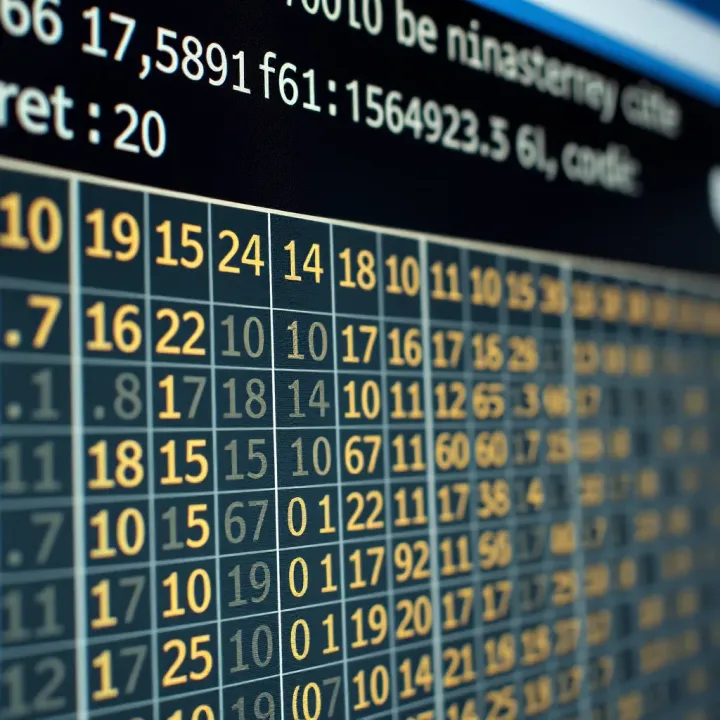
The numbers from 1 to 10 convert into binary with growing bit lengths. For instance, decimal 1 is 1 in binary, 2 is 10, 3 is 11, 4 is 100, and so on. Notice how the bit count increases the moment you hit a power of two (such as 2, 4, 8), which acts as a natural milestone in binary progression. Being familiar with these early binary equivalents simplifies recognising digital signals and understanding basic computer instructions.
The range 11 to 20 follows the same division and remainder method but involves more digits. For example, decimal 15 is 1111 and decimal 20 is 10100 in binary. Knowing these helps especially when interpreting binary-coded decimal (BCD) or working with bits in fields like cryptography and network addressing. For traders and analysts, understanding these patterns can aid when dealing with computing algorithms that underpin financial models or digital transaction systems.
Remember, practising these conversions regularly will improve your fluency. Recognising binary numbers easily can be quite handy beyond pure computing—in areas such as digital marketing analytics and data visualisation where computer logic plays a role.
By mastering the division method and the examples from one to twenty, you lay a solid foundation for grasping how information is stored and processed in machines around us daily.
When we study binary numbers from one to twenty, clear patterns emerge that make understanding and remembering them easier. These patterns are not just interesting quirks; they offer practical ways to speed up conversions and improve comprehension of binary counting.
Binary representation grows in length as numbers increase, reflecting the need for more bits to express higher values. For instance, numbers 1 through 3 use just two bits: 1 (1), 10 (2), and 11 (3). As we move to 4 (100), the number of bits rises to three. This increase continues, such as with 8 (1000) which needs four bits, and 16 (10000) requiring five bits. Noticing this helps you anticipate how many bits a number needs without converting fully each time.
The practical use here is significant for memory planning and data encoding in computing. If you know your number falls in a particular range, you can estimate the bit-length required instantly. This is crucial for developers dealing with fixed-width registers or designing efficient storage systems.
Binary numbers exhibit repetition and doubling due to their base-2 nature. Every time you reach a power of two, say from 3 (11) to 4 (100), the binary digits reset in a pattern that doubles the previous sequence. The transition from 7 (111) to 8 (1000) shows this doubling clearly as the bit count increases by one, and the pattern sets anew.
Additionally, within the binary count itself, halves and quarters of ranges repeat patterns in a precise way. For example, numbers 8 to 15 carry similar trailing bits as 0 to 7 but with an added leftmost bit. This repetition helps when mentally converting or spotting binary equivalents without starting from scratch every time.
Recognising these patterns can shave time off mental binary conversions. Knowing when the bit length jumps or when portions of the binary string repeat means you don't have to convert every number manually. Instead, you can work from the nearest known pattern. For example, once you know the binary for 15 (1111), you can quickly figure out the binary for 16 (10000) by simply increasing the bit count.
This simplification is a boon for students and professionals who deal with binary numbers regularly. It allows quicker problem-solving, debugging, and reduces errors caused by manual conversions. It also strengthens your intuition about binary numbers.
These patterns reveal the logic behind binary counting—a progression based on powers of two rather than tens. Seeing how bits shift and repeat demystifies why binary is so efficient for digital systems. The jumping bit length when crossing powers of two shows the underlying structure computers use to count and represent data.
Understanding this progression helps in areas like programming, where bitwise operations often come into play. It also clarifies concepts in networking and data storage where bits and bytes form the backbone. Grasping the flow from 1 to 20 sets a strong foundation for tackling larger numbers and more complex binary operations.
Recognising binary patterns isn’t just academic — it sharpens your skills to work confidently with digital systems, making it a valuable asset in today’s tech-driven world.
Understanding binary numbers goes beyond simple academic interest, especially in today's digital world where data forms the backbone of various technologies. Grasping binary's practical uses helps decode how modern devices operate and how information is processed at the fundamental level.
Binary numbers form the very foundation of programming languages and data storage. Every piece of information on a computer—whether text, images, or sound—is ultimately translated into long strings of 0s and 1s. For example, the ASCII code uses binary to represent characters, where the letter ‘A’ is stored as 01000001. Understanding this helps software developers optimise code, debug errors, and manage memory efficiently.
Besides, low-level programming like assembly language requires direct manipulation of binary data. Knowing how decimal numbers convert to binary can aid in grasping how instructions control hardware. For professionals analysing algorithmic performance, recognising binary’s role in bitwise operations can be quite beneficial.
Binary underpins how data moves across networks. Internet protocols such as TCP/IP rely on binary to define addresses (IP addresses) and routing rules. Each IPv4 address, for instance, is a 32-bit binary number divided into four octets. A typical IP like 192.168.1.1 corresponds to the binary sequence 11000000.10101000.00000001.00000001.
Data packets transmitted over networks encode information in binary to ensure precise and error-free delivery. Error-checking techniques, including parity bits and checksums, rely heavily on binary arithmetic. For analysts monitoring network traffic, understanding these binary structures can clarify how data transmission errors are detected and corrected.
Your mobile phone, smartwatch, and even household appliances like microwave ovens use binary logic internally. Sensors in mobiles collect data, which the processor interprets in binary to perform tasks such as running apps or sending messages. For instance, the touchscreen's input translates into binary signals so the device can pinpoint where you tap.
Smart appliances today depend on microcontrollers that operate in binary to control functions—like setting temperature or timing. Even when you interact through a user-friendly interface, the real commands behind the scenes are binary instructions. Insight into these basics offers a clearer picture for anyone interested in IoT (Internet of Things) device functionality.
Digital signal processing (DSP) converts analog signals—like voice or music—into digital binary form for editing, transmitting, or playback. This transformation is crucial in mobile networks, music streaming, and broadband connections. For example, your streaming app compresses audio files into binary-coded formats such as MP3, allowing efficient storage and transmission.
Understanding binary’s role in DSP also aids in appreciating how noise reduction and data compression work. It has practical value for those dealing with audio engineering, telecommunications, or designing multimedia content, since binary-based algorithms manage how signals are processed and reconstructed.
Recognising how binary numbers operate behind everyday technology empowers you to better grasp digital trends and innovations shaping industries today.
This knowledge doesn't just suit tech experts. For investors, traders, and analysts, appreciating the binary basis of digital solutions can unveil new horizons in tech-driven markets and products, influencing smarter decisions related to digital asset management or tech investments.
Getting comfortable with binary numbers requires more than just understanding the theory—it demands regular practice and smart memorisation techniques. For finance professionals and students dealing with technical data or computer science basics, these tips help make the learning process efficient and lasting.
Binary charts list decimal numbers alongside their binary equivalents. Having a clear visual like this simplifies memorisation by offering a quick reference. For example, a chart showing numbers one to twenty in binary makes spotting patterns easier, such as how each subsequent number builds by adding bits or changing positions of 1s.
Using charts repeatedly helps reinforce binary digits (bits) for each number, so the conversion becomes second nature. It’s like how investors keep track of stock prices; consistent exposure ingrains the data in memory, reducing the mental effort in actual conversions.
Binary numbers operate on powers of two — 1, 2, 4, 8, 16, and so on. Understanding this helps break down any decimal number into sums of these powers. For instance, the decimal number 13 can be seen as 8 + 4 + 1, which translates to 1101 in binary.
Grasping powers of two allows learners to quickly identify which bits should be set to 1 or 0, improving both speed and accuracy. This approach is particularly useful for traders or analysts working with digital data, as it aligns with how computers process and represent numbers internally.
Practising conversions from decimal to binary and vice versa sharpens familiarity. Start with small numbers, gradually increasing complexity. For example, converting numbers from one to twenty repeatedly embeds the method deeply.
Such exercise is akin to solving sample papers before an exam. The more you do, the faster and more confident you get. This fluency proves valuable when quick data interpretation or programming is needed, especially in sectors like fintech.
Several free apps and websites offer interactive binary number exercises. These tools allow instant checking of answers, making self-correction easier. Features might include quizzes, flashcards, and timed tests.
Leveraging these platforms helps sustain motivation and introduces variety beyond pen-and-paper practice. For investors and students balancing busy schedules, short bursts of practice on mobiles can keep skills fresh without demanding too much time.
Regular and focused practice, coupled with smart memorisation techniques like using charts and understanding powers of two, makes binary numbers much easier to grasp and apply. This is particularly beneficial for professionals and students looking to strengthen foundational digital skills.
🔢 Explore how binary numbers work in computing, learn easy conversion methods, binary arithmetic, and see how it powers everyday tech gadgets! 📱💻

Discover how binary numbers power computing—from decimal conversion to coding basics. Learn binary arithmetic and explore real-world uses 💻🔢

Learn how binary numbers work 🧮, why computers use them 💻, and explore conversions & operations with real examples to master this digital language.
Learn how to convert decimal numbers to binary with step-by-step methods, examples, and practical insights for students and tech enthusiasts in India 🇮🇳💻
Based on 12 reviews