
How to Use a Binary Multiplication Calculator
🔢 Learn how to multiply binary numbers efficiently using a binary multiplication calculator. Perfect for students and pros in computer science and digital electronics! ⚡💻
Edited By
Daniel Morgan
A binary representation calculator is a handy tool for anyone who deals with numbers in computing or digital electronics. It converts decimal numbers—the ones we use daily—into their binary equivalent, which computers understand as sequences of 0s and 1s. This conversion is fundamental because binary forms the core language of digital devices.
Understanding how to use such a calculator not only simplifies the conversion process but also helps you grasp how computers process and store information. For investors and analysts working with algorithmic trading models or fintech tools, recognising binary operations can clarify how data is handled behind the scenes.

Computers use the binary system because it aligns well with their internal hardware, where switches can be either ON or OFF. Each binary digit, or bit, represents one such state. Larger numbers in computing are represented by strings of these bits.
For example, the decimal number 13 converts to binary as 1101. This is because:
1 × 2³ (8)
1 × 2² (4)
0 × 2¹ (0)
1 × 2⁰ (1)
Adding these results gives 13.
Most online or software-based binary calculators let you enter any decimal number and instantly see its binary equivalent. Some calculators also allow reverse conversion: from binary back to decimal. This functionality proves useful when verifying calculations or troubleshooting digital circuits.
Key functionalities often include:
Input validation to accept only valid decimal numbers
Step-by-step conversion display for learning purposes
Support for converting fractional decimal numbers into binary
A calculator that visually breaks down each step can help demystify binary maths, making it accessible even if you don’t come from a technical background.
In trading platforms, understanding binary representations aids in comprehending underlying technology, such as data encryption or compression algorithms. In digital electronics, engineers rely on binary calculations for designing circuits and debugging hardware.
To sum up, a binary representation calculator bridges the gap between everyday decimal numbers and the binary code behind digital technology. Mastering its use is a small step with meaningful impact across finance, tech, and education sectors.
Understanding the basics of binary numbers is essential for anyone dealing with computing or digital technologies. Binary numbers use only two digits: 0 and 1. These binary digits, often called bits, represent the fundamental building blocks of all digital data. Each bit shows a state—either off (0) or on (1)—and by arranging bits in sequences, computers can encode numbers, text, and instructions.
Unlike the decimal system, which uses ten digits (0 to 9), the binary system relies on powers of two. This makes binary especially suited to electronic circuits, where a switch is either open or closed. For example, the decimal number 13 converts to binary as 1101. Each position in this binary sequence corresponds to a power of two, making calculation straightforward once the system is understood.
Binary digits or bits capture a value in the base-2 numeral system. This system represents all numbers using only zero and one. Each bit holds a weight that doubles as you move from right to left—1, 2, 4, 8, and so on. So, a binary number like 1011 equals 1×8 + 0×4 + 1×2 + 1×1 = 11 in decimal. This simplicity reduces complexity in data representation and processing.
Comparing binary to the decimal system shows the advantage of the former in electronics. Decimal uses ten different digits, which map naturally to human counting but need more complex hardware to handle multiple states simultaneously. Binary only needs two states, which computers and microcontrollers can easily detect and manage. That's why, although humans think in decimal, devices use binary behind the scenes.
Binary's role in digital circuits and data storage is foundational. Each bit translates to an electrical signal in hardware; low voltage may represent 0, while high voltage represents 1. This makes it easy to design reliable circuits like transistors and memory cells. For instance, in computer RAM (random access memory), billions of bits store data that processors read and write almost instantly.
Programming and algorithms also heavily rely on binary. Binary logic gates—the building blocks for operations like AND, OR, and NOT—perform calculations and decision-making at the hardware level. Software follows these rules, translating complex operations into sequences of binary instructions. For example, bitwise operations in programming languages manipulate individual bits to optimize performance or encrypt data.
Mastering binary numbers opens doors to understanding how everything from your smartphone to the stock market algorithms functions at a fundamental layer.
Overall, the binary number system not only defines the language of computers but shapes how data is processed and stored. Knowing this helps professionals across fields, whether studying algorithms, designing circuits, or analysing data.

Understanding how binary representation calculators operate is key to using them effectively. These tools simplify converting numbers from familiar decimal form to binary, which is crucial in computing and digital electronics. By grasping their core functions and extra features, you can apply them confidently in programming, data analysis, or circuit design.
Input formats and accepted number types
Most binary calculators accept decimal integers as input, allowing users to convert numbers like 27 or 156 to binary effortlessly. Some advanced calculators also handle binary inputs directly, letting you check or manipulate existing binary data. The ability to accept both positive and certain fractional numbers expands their usefulness. For example, when debugging a program, you might want to enter both decimal and binary values to verify logic or memory states.
Conversion process from decimal to binary
The typical conversion relies on repeatedly dividing the decimal number by two and noting the remainder, which forms the binary digits. Calculators automate this, instantly giving the user the binary equivalent without manual calculations. This rapid conversion proves invaluable for financial analysts working with low-level data encodings or programmers encoding data for efficient storage.
Handling negative numbers and floating points
Binary calculators often support signed numbers, using schemes like two's complement to represent negatives. For instance, converting -12 involves getting its two's complement binary, which calculators output directly. Some calculators also convert floating-point numbers to binary using IEEE 754 format, vital for physics simulations or financial models involving decimals. This automation saves time and avoids errors common in manual binary conversions.
Additional options such as octal and hexadecimal conversions
Many binary calculators offer features to convert numbers not just to binary but also to octal and hexadecimal. This is practical because programmers frequently use hexadecimal to represent memory addresses or colour codes. For example, a colour value in web design might be easier to read in hex, which such calculators provide alongside the binary representation. This versatility allows users to switch between number systems smoothly, enhancing productivity in software development and electronics testing.
Knowing these details ensures you pick the right tool and use it properly, which can dramatically speed up work involving digital data or number systems.
Using a binary representation calculator wisely means paying attention to input formats and understanding what features you need based on your field—be it finance, programming, or electronics. These calculators are powerful helpers once you know their workings and options.
Manual conversion methods for decimal to binary numbers hold great significance especially when working without electronic tools. Understanding these methods strengthens your grasp of how binary systems operate, which can be very useful for both students and professionals in finance and technology sectors. These methods allow you to verify calculator outputs or perform quick conversions when a device is unavailable.
This method involves repeatedly dividing the decimal number by two, capturing remainders at each step to construct the binary equivalent. You start by dividing the given decimal number by two and noting the remainder. The quotient from this operation is then divided by two again, and you continue this process until the quotient reaches zero. The binary number forms when you collect these remainders in reverse order.
For example, to convert decimal 13 into binary:
13 ÷ 2 = 6 remainder 1
6 ÷ 2 = 3 remainder 0
3 ÷ 2 = 1 remainder 1
1 ÷ 2 = 0 remainder 1
Reading the remainders backward gives 1101, which is the binary representation of 13. This approach is practical for converting small to medium-sized numbers manually and helps sharpen one's understanding of binary conversion mechanics.
This method breaks down a decimal number into the sum of powers of two, helping you visualise the binary components clearly. You identify the largest power of two less than or equal to your number and subtract it, marking a '1' for that binary place. The process repeats with the remainder until you reach zero, filling zeros for the powers that do not fit.
For instance, consider decimal number 22:
The largest power of two ≤ 22 is 16 (2^4), so set the 2^4 bit to 1.
Subtract 16 from 22; remainder is 6.
Next largest power ≤ 6 is 4 (2^2), so set the 2^2 bit to 1.
Subtract 4; remainder is 2.
Next largest power ≤ 2 is 2 (2^1), set the 2^1 bit to 1.
Subtract 2; remainder is 0.
Filling bits for 2^3 and 2^0 as 0 yields binary 10110. This method helps in understanding how each binary digit corresponds to a power of two, making it valuable for conceptual clarity and troubleshooting.
Both these manual methods provide valuable insight into how binary representation works under the hood, building a strong foundation for effectively using binary representation calculators.
Understanding these techniques also allows professionals to better interpret binary outputs during data analysis or debugging phases in software and hardware projects.
Binary representation calculators have practical applications that go well beyond simple academic exercises. These tools help professionals and students alike grasp and manipulate binary data efficiently. They find significant use cases in computer science education, digital circuit design, and programming, where understanding binary intricacies is essential.
Teaching binary arithmetic and logic forms the backbone of many computer science courses. Binary calculators allow learners to visualise how decimal numbers convert into binary and how operations such as addition, subtraction, or logical AND/OR work at the bit level. For students preparing for exams or competitive tests like JEE or other engineering entrance examinations, these calculators simplify complex binary operations, making concepts more tangible.
Using a binary calculator during classes or self-study sessions helps students experiment with different inputs quickly, reinforcing their grasp of binary numbering methods and Boolean logic. For example, a student struggling with two's complement representation can test various negative and positive numbers, getting immediate results that clarify how computers handle signed integers.
Visualising and testing binary data is crucial for engineers working on digital circuits. A binary calculator acts as a handy reference tool to verify the expected binary output from circuit components such as multiplexers, flip-flops, or logic gates. When debugging hardware circuits, converting signal values from decimal to binary helps in pinpointing faults or mismatches.
For instance, if a logic analyser shows unexpected results, an engineer can cross-check the binary data using the calculator to confirm correct bit patterns. This eliminates guesswork and accelerates troubleshooting, resulting in faster design iterations and reliable circuit performance.
In programming, binary representation calculators are indispensable for debugging and encoding data. Developers working with low-level code, such as embedded systems or operating system components, often need to decode binary flags, masks, or data packets. The right calculator helps decode these bits quickly, enabling efficient debugging without manually converting large values.
Similarly, encoding tasks like setting permission bits or compressing data benefit from binary calculations. Programmers can verify their binary manipulations through the calculator and avoid subtle bugs that surface only when binary data is mishandled. This tool becomes a simple yet powerful part of the developer's toolkit, especially when handling bitwise operations that are otherwise prone to errors.
Practical use of binary representation calculators boosts accuracy and helps demystify binary systems, bridging the gap between theory and application for students and professionals alike.
Using a binary representation calculator effectively is not just about pressing buttons; it's about understanding which tool suits your needs, how to enter data properly, and where such calculations fit into your daily work. Whether you're a student learning binary arithmetic or a finance professional examining data encoding, knowing these nuances saves time and prevents errors.
When selecting a binary representation calculator, you mainly choose between online tools and software applications. Online calculators offer quick access and are usually free, handy for occasional conversions or learning purposes. For instance, students practicing binary maths may prefer web-based tools because they require no installation and can be accessed from any device.
On the other hand, software applications often come with advanced features suited for professionals or those handling large data frequently. Software like MATLAB or programming IDEs with integrated calculators provide capabilities beyond simple conversion—such as scripting, batch processing, or integration with other tools used in digital circuits and coding. If you deal with complex binary data regularly, investing in reliable software pays off.
Accurate input is critical for correct binary conversion. Always check the accepted input formats—some calculators need decimal inputs only, while others accept hexadecimal or octal values as well. For example, entering 15 in decimal should correctly convert to 1111 in binary; feeding in hexadecimal without specifying might output wrong results.
Besides, be wary of how the calculator displays output. Some tools show signed binary, others unsigned. Misinterpreting a binary output as unsigned when it actually represents signed two's complement can cause confusion, especially in programming contexts dealing with negative numbers. Double-check the mode settings before trusting the output.
Binary calculations find practical use beyond academics. In coding, especially low-level programming and embedded systems, you regularly convert decimal values to binary for setting flags or bitwise operations. Having a reliable calculator speeds this process, reducing manual errors.
In digital electronics, engineers use binary calculators to design and troubleshoot circuits. For instance, when working with logic gates or flip-flops in microcontrollers, converting between formats ensures correct signal interpretation. Thus, integrating these tools into your workflow streamlines debugging and data analysis.
Mastering the use of a binary representation calculator means choosing the right tool, ensuring precise inputs, and knowing how to apply the output effectively in your work or studies. This practical approach turns a simple calculation into a powerful aid.
Binary representation calculators are valuable tools, but understanding their limitations is key to using them effectively. These challenges often surface when dealing with very large numbers or when the nature of number representations complicates direct interpretations. Recognising these pitfalls helps investors, analysts, and students avoid errors and better leverage these calculators in real-world applications.
One common limitation of binary calculators is their handling of large numbers. Many calculators have input size limits, such as a maximum number of bits they can process. When an input exceeds this size, the calculator may give an incorrect result or display an overflow error. For example, inputting a 32-bit number into a calculator designed for 16-bit inputs often leads to truncation or distorted output, which could mislead financial analysts calculating high-precision binary data.
Precision issues also arise with binary calculators, especially when dealing with floating-point numbers. Due to fixed bit widths, rounding errors can accumulate. This matters in sensitive computations like algorithmic trading strategies, where even small calculation inaccuracies might cause significant discrepancies. It’s crucial to verify results and be mindful of the calculator’s bit-handling capacity.
Binary calculators might show numbers in different formats such as unsigned binary, two's complement, or floating-point. Each format serves distinct purposes but can be confusing if misinterpreted. For instance, two's complement representation allows expressing negative numbers in binary, which is essential for computing losses or deductions in financial models. If a calculator assumes unsigned numbers, a negative value might appear as a large positive number, causing errors.
Floating-point representation allows handling decimal fractions by encoding numbers with significant and exponent parts. This format suits calculations involving real numbers, such as interest rates or currency conversions. However, floating-point arithmetic is prone to rounding and precision errors, so interpreting outputs requires care, especially in automated script calculations or software engineering tasks related to finance.
Understanding these representation differences prevents misreading binary outputs and ensures calculations align with the intended financial or analytical models.
In summary, while binary calculators simplify conversions and computations, users must be mindful of input size limits, overflow risks, and the specific number representation format used. Recognising these challenges helps avoid mistakes and improves the dependability of binary-based calculations in practical scenarios.
🔢 Learn how to multiply binary numbers efficiently using a binary multiplication calculator. Perfect for students and pros in computer science and digital electronics! ⚡💻
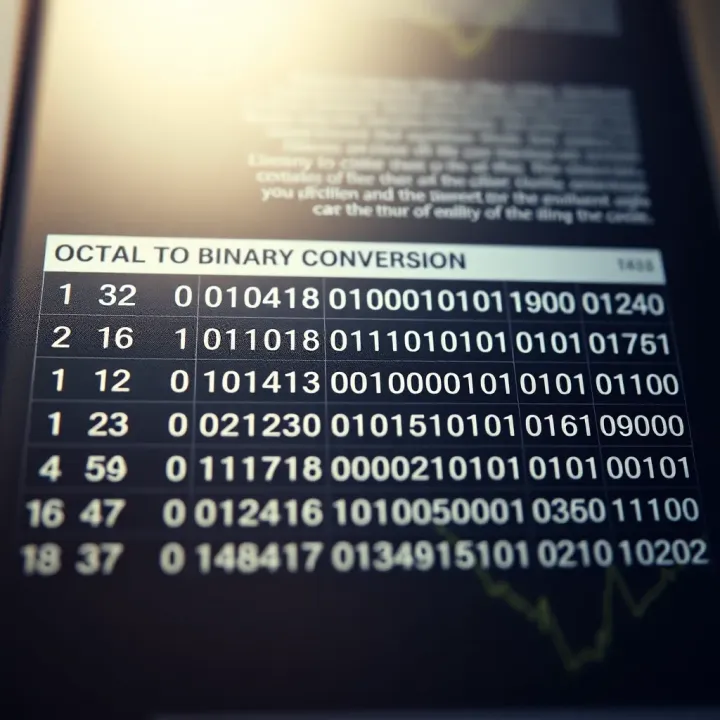
Learn octal to binary conversion step-by-step with an easy reference table 🧮. Perfect for students and engineers working with digital systems 📊.
🔢 Learn how to use an octal to binary calculator, understand number systems, manual conversion steps, reliable tool tips, and avoid common mistakes.
Learn how to convert decimal numbers to binary in C++ 🔢. Explore built-in functions, manual loops, data types, and practical tips for efficient coding.
Based on 15 reviews