
How to Use a Binary Conversion Calculator
🔢 Learn how to convert numbers effortlessly between binary and decimal with a binary conversion calculator! Understand manual techniques, benefits, and uses in computing and education.
Edited By
Sophia Mitchell
Binary and octal number systems form the backbone of many computing and electronic processes. While binary (base-2) uses only two symbols (0 and 1), octal (base-8) employs eight (0 to 7), making octal a more compact way to represent binary data. For investors, traders, analysts, and students dealing with technical data or programming tasks, understanding how to convert binary to octal is practical.
Using a binary to octal conversion calculator saves time and reduces errors compared to manual conversions. These tools take any binary number and instantly provide its octal equivalent, helping professionals focus on analysis rather than number crunching.
Quick and accurate conversions can improve your workflow, especially in scenarios involving large binary values or repeated conversions.
Before using the calculator, it's helpful to know that conversion typically involves grouping binary digits into sets of three (starting from the right) because each octal digit corresponds exactly to three binary digits. For example, the binary number 101110 groups as 000 101 110, which converts to octal digits 0, 5, and 6, resulting in 56.
Keep in mind these key points for effective calculator use:
Input Accuracy: Enter the binary number correctly without mixing non-binary digits.
Verify Output: Cross-check smaller calculations manually to build confidence in the tool.
Understand Grouping Logic: This helps catch errors like missing leading zeros or miscounted digits.
Such calculators find use in software development, embedded systems, digital electronics, and educational domains where quick binary-to-octal translation aids decision-making and comprehension. By mastering these tools, you enhance precision and efficiency in tasks involving number system conversions.
The next sections will guide you step-by-step to use these calculators effectively and discuss real-world scenarios where this skill is invaluable.
Grasping the fundamentals of binary and octal systems is essential when working with conversion tools. These two serve as building blocks in computing and digital electronics, where numbers are often represented in various bases to simplify processes or improve efficiency.
The binary system uses only two digits: 0 and 1. It forms the core of all modern computing since digital circuits operate on two states — off (0) and on (1). Understanding binary helps decode how computers process and store information, making it critical for anyone dealing with technology or computing.
Just like decimal numbers use ten digits (0-9), binary employs bits (binary digits) to represent any number or data. For example, the decimal number 5 is written as 101 in binary. Each bit corresponds to a power of two, allowing machines to encode complex data in simple on-off patterns. This system also underpins data storage in devices like hard drives, RAM, and even simple microcontrollers.
Binary numbers appear everywhere in computing, from programming environments to hardware interfaces. They are crucial for memory addressing, error detection, and communication protocols. For example, encoding colours in displays uses binary codes that correspond to red, green, and blue intensities.
Octal is a base-eight number system using digits 0 through 7. It offers a compact way of representing binary numbers, especially since three binary digits perfectly map to one octal digit. This compactness makes it easier for humans to read binary-related data.
Since octal groups every three bits into a single digit, it simplifies the binary system's lengthy strings. For instance, binary 110101 maps to octal 65. This close link reduces errors when interpreting large binary sequences, which is helpful in system programming and debugging.
Octal finds use in permission settings in Unix-like operating systems, where file permissions are represented using octal numbers. It also appears in certain assembly language programming contexts and older computing systems. Using octal accelerates interpretation and manipulation of machine-level data without working with unwieldy binary numbers.
Understanding these number systems forms the base for effective use of binary to octal conversion calculators, ensuring accuracy and deeper comprehension.

Understanding the step-by-step process of converting binary numbers to octal is essential for those working with digital systems or studying number systems. This process simplifies large binary numbers into shorter octal equivalents, making data easier to read and handle. It aids clarity in coding, data transmission, and hardware design where octal notation offers a more compact representation than binary itself.
Dividing into groups of three: The key to converting binary to octal lies in breaking the binary string into groups of three digits, starting from the right. Each group of three binary digits corresponds precisely to one octal digit because 2³ equals 8. For example, take the binary number 1011101. Grouping the digits from the right, it becomes 1 011 101. These groups represent the octal digits directly.
Handling incomplete groups: Sometimes, the leftmost group might have less than three digits. In such cases, you add zeroes to the left to complete the group. For instance, with the binary number 11001, the leftmost group has only two digits: '11 001'. Adding a zero on the left changes it to '011 001'. This padding does not change the value but ensures accurate conversion.
Binary to decimal conversion for each group: Once grouped, you convert each three-digit binary group into its decimal equivalent. Using the previous example, for '011' the decimal is 3, and for '001' it is 1. Calculating these ensures that the binary segments accurately map onto the octal digits.
Assigning corresponding octal values: After converting to decimal, assign the respective octal digit. Decimal numbers from 0 to 7 directly translate to octal digits of the same value. Putting it all together, the binary number 11001 converts to octal as 31. This systematic approach helps avoid errors and speeds up conversions, especially when using a calculator tool.
Remember, consistently grouping and converting three binary digits ensures precise octal outcomes, a method widely used in computer memory addressing and programming.
This stepwise process not only improves your grasp over conversions but also assists in verifying results obtained from online calculators or software. Understanding these basics is valuable for investment analysts or students who handle data-heavy tasks requiring quick transformations between numeral systems.
Using a binary to octal conversion calculator offers swift and reliable conversion, saving valuable time especially for professionals like analysts and traders who often deal with complex data. Instead of manually grouping binary digits and mapping them to octal values, these tools streamline the process, reducing errors and boosting accuracy. For example, converting a 24-bit binary number manually can be tedious and prone to mistakes, but a calculator handles it instantly, allowing you to focus on analysis rather than computation.
Such calculators also serve students preparing for competitive exams or finance professionals exploring digital data systems. They bridge the gap between theory and application, providing clarity without heavy manual effort.
Most binary to octal calculators accept input through straightforward text fields where you can type or paste your binary numbers. They usually include validation to ensure only valid binary digits (0 and 1) are accepted. This prevents mistakes such as entering digits like 2 or 9, which would invalidate the conversion. Some calculators handle spaces or separators gracefully, allowing you to enter grouped bits for clarity, which is handy when dealing with long sequences.
Validation protects against errors early, helping users avoid wasting time with faulty inputs. For instance, if you accidentally input ‘10102’, the tool will flag the invalid digit rather than providing a wrong octal result.
After processing, the calculator presents the octal equivalent clearly, often in a single line or grouped format for easier reading. Some tools display both the octal number and its decimal equivalent side by side, supporting further data interpretation. This dual display helps confirm the correctness of output and aids in cross-checking calculations.
Additionally, the results may come with options to copy the output instantly or save for later use. This flexibility is valuable for analysts who may need to incorporate conversion results into reports or spreadsheets without retyping.
Beyond simple conversion, many calculators offer extra features like converting back from octal to binary, or even switching between decimal and hexadecimal systems. Some include detailed step-by-step explanations showing how the binary groups correspond to octal digits, which serves as an excellent learning tool.
Other functions may include error detection, where the calculator highlights common mistakes or suggests corrections. This makes the tool useful not only for quick conversions but also for educational purposes, helping users understand and trust the process.
Accurate input is crucial. Always ensure your binary number contains only 0s and 1s without stray characters. Avoid mixing with spaces, commas, or other symbols unless the tool specifically supports such separators. For example, inputting ‘1101 0110’ might work if spaces are allowed, but ‘1101-0110’ probably won’t.
Double-checking the sequence length helps as well. Since octal groups match every three binary digits, padding incomplete groups with leading zeros ensures correct results. For instance, entering ‘101’ is fine, but ‘11’ may need padding to ‘011’ for consistency.
Once you receive the octal output, compare it with the binary input logically. The calculator's output should follow the expected pattern—every group of three binary digits matches to one octal digit. Users should take note if the calculator shows additional information like decimal equivalents or intermediate steps, which enhance understanding.
For traders or data analysts, accurate interpretation means verifying that the octal number makes sense within the context—for example, if an 8-bit binary corresponds to a two-digit octal number.
Even though calculators reduce manual work, it’s good practice to verify results occasionally. Manually grouping the binary digits into threes and converting each group to decimal can cross-check the tool’s output. This step builds confidence, especially when dealing with critical data.
For example, if the binary number is ‘110101’, you can divide it into ‘110’ and ‘101’, convert each to decimal (6 and 5), and then form the octal number ‘65’. Matching this with the calculator’s output confirms its accuracy and ensures no input errors slipped through.
Remember, using the calculator as a quick check while understanding the conversion principles yourself is the best way to ensure reliable results.
Using a binary to octal conversion calculator has become a common practice among professionals and students alike, especially when quick and accurate conversions are needed. While these tools offer several benefits, it is equally important to understand their limits.
Time-saving and precision: Converting binary to octal by hand can be slow and prone to errors, especially for long binary strings. A calculator can instantly deliver the correct octal equivalent, saving precious time in situations where accuracy is non-negotiable. For example, a software engineer debugging binary data will find that a reliable calculator helps cross-check values quickly, reducing mistakes that can cost days of troubleshooting.
Accessibility and ease of use: Most conversion calculators come with user-friendly interfaces accessible on computers, mobiles, and even offline apps. They often support direct keyboard input, copy-paste options, and real-time validation to prevent invalid entries. This ease means that even students who are not comfortable with manual conversions can learn and verify number system concepts effectively, reducing the learning curve significantly.
Dependence on digital tools: Relying heavily on calculators may weaken one’s ability to perform manual conversions or understand the fundamental concepts behind binary and octal systems. This can be a setback during exams or interviews where calculators may not be allowed. In professional fields, understanding conversions at a conceptual level supports better debugging and data interpretation beyond just getting the value.
Possibility of input mistakes: While calculators reduce calculation errors, they are only as accurate as the input given. A common pitfall is entering an incorrect binary number, such as mistyping a digit or including invalid characters. This leads to faulty outputs that might go unnoticed if the user skips manual checks. For instance, a trader working with low-level programming data could face misinterpretation leading to system faults if inputs are not verified.
Remember, tools always complement knowledge—they do not replace it.
Binary to octal conversion finds practical use in several areas, particularly in computer science, engineering, and education. Understanding these applications helps professionals and students alike to appreciate the value of such conversions for clearer data handling and efficient learning.
Memory addressing: In computer architecture, memory addresses are often represented in octal form because it provides a concise and readable way to express binary data. Since one octal digit corresponds to exactly three binary digits, the conversion allows engineers and developers to interpret addresses quickly without dealing with long strings of zeros and ones. For example, a 12-bit binary address like 110100101011 can be neatly written as 15253 in octal, simplifying memory debugging and hardware design.
Data representation: Besides memory addresses, octal numbers help in representing machine-level data more compactly. Programmers working with low-level languages or assembly code prefer octal because it reduces complexity when writing or reading bit patterns. Consider control registers or status flags in microcontrollers; octal notation makes it easier to spot bit groups without confusion, saving time during development and troubleshooting.
Teaching number systems: For students, converting between binary and octal is a foundational skill in understanding positional number systems. Teachers often use octal to bridge from binary to decimal, as it offers a manageable step with fewer digits, helping learners grasp how different bases relate. Introducing octal after binary eases the cognitive load, especially for beginners struggling with long binary sequences.
Preparing for exams and competitive tests: Many Indian engineering and science entrance exams, including the Joint Entrance Examination (JEE) and Graduate Aptitude Test in Engineering (GATE), test conversions between number systems. Being comfortable with binary to octal conversion allows students to solve questions faster and more accurately. Practising with a conversion calculator can boost confidence and speed, but understanding the method ensures they don’t rely solely on tools during tests.
Mastering binary to octal conversion enhances both technical work and academic performance, making a conversion calculator an excellent aid alongside solid conceptual knowledge.
This blend of practical and educational relevance highlights why binary to octal conversion remains a valuable skill in Indian technology and learning environments.
🔢 Learn how to convert numbers effortlessly between binary and decimal with a binary conversion calculator! Understand manual techniques, benefits, and uses in computing and education.
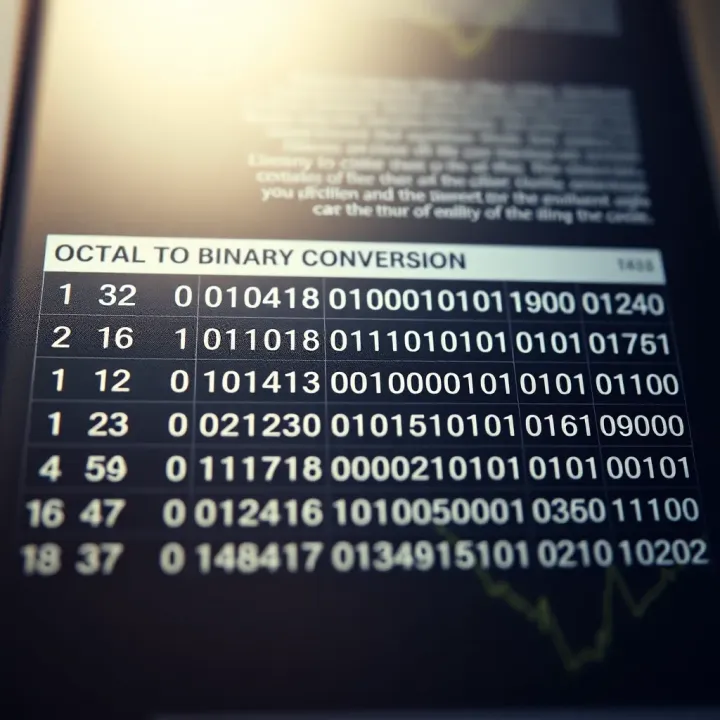
Learn octal to binary conversion step-by-step with an easy reference table 🧮. Perfect for students and engineers working with digital systems 📊.
🔢 Understand octal to binary conversion with clear examples, solve common confusions, and get tips for accurate number system handling in computing and electronics.
Learn how to convert octal numbers to binary step-by-step with clear examples 🔢. Avoid common mistakes and see practical uses in Indian computing contexts 🇮🇳.
Based on 8 reviews